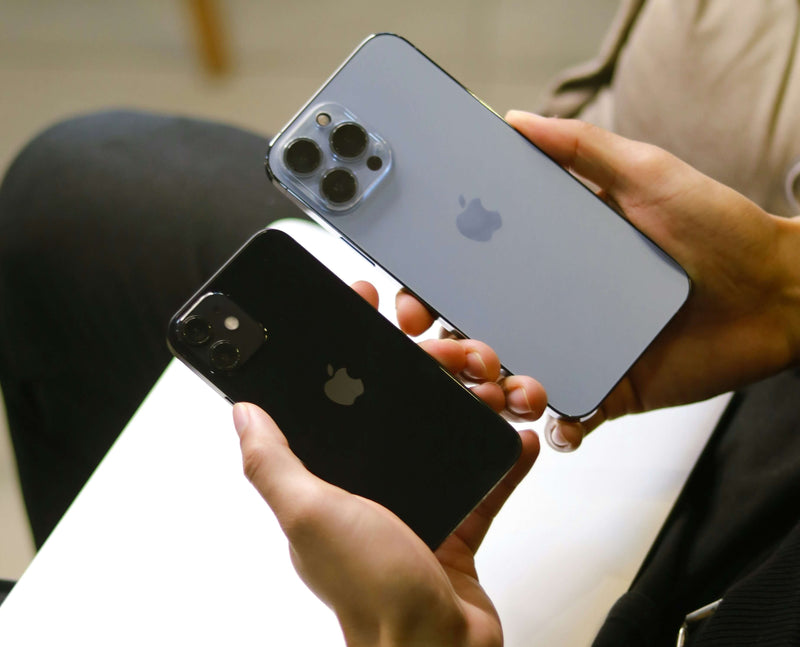
To wipe your iPhone before selling it, do four things in this order: back it up, sign out of iCloud and turn off Find My, sign out of iMessage and FaceTime, then go to Settings, General, Transfer or Reset iPhone and tap Erase All Content and Settings. That order matters. Erase first and you can leave the phone locked to your Apple Account, which makes it useless to a buyer and holds up any trade-in. Do it properly and the phone leaves your hands clean, unlocked from your account, and ready to rehome.
Here's the thing worth knowing up front: a proper wipe protects you, not just the next owner. It's the step that stops an old photo, a saved password, or a logged-in app travelling on to someone else.
Do I need to wipe my iPhone before selling it?
Yes, and it's quick. Wiping does two jobs at once. It removes your personal data, your photos, messages, banking apps and saved logins, and it unties the phone from your Apple Account so a new owner can actually set it up. Skip the wipe and you're handing over a phone that's still signed in as you.
There's a second reason people miss. Activation Lock, the feature tied to Find My, will keep an iPhone locked to your account even after a factory reset if you didn't sign out first. A good trade-in service can't process a phone that's still Activation Locked, so getting this right is what lets your quote go through smoothly.
What to do before you wipe (back it up first)
Once you erase, it's gone, so back up before you touch the reset button. We've all felt that small panic of wondering whether a photo survived, and a backup removes it entirely.
- Back up to iCloud. Open Settings, tap your name at the top, then iCloud, then iCloud Backup, and tap Back Up Now. Wait for it to finish on Wi-Fi.
- Or back up to a computer. Connect the phone, open Finder (Mac) or the Apple Devices app (Windows), select your iPhone and choose Back Up Now. Tick the encrypted backup option so health and saved passwords carry across.
- Check the backup actually completed. In Settings, your name, iCloud, Manage Account Storage, Backups, confirm today's date and a sensible file size. A backup you never verified is the one that lets you down.
- Transfer anything outside iCloud. Authenticator app codes, photos in third-party apps, WhatsApp chats. These don't always ride along automatically, so move them across to your new phone now.
Worth knowing: if you're moving straight to a new iPhone, Apple's Quick Start lets you transfer everything device to device, but you still wipe the old one afterwards before it leaves the house.

How to wipe an iPhone before selling it, step by step
Now the actual wipe. Follow these in order and nothing gets left behind.
- Sign out of iMessage and FaceTime. If you're leaving iPhone for any other phone, go to Settings, Messages, and toggle iMessage off, then do the same in Settings, FaceTime. Skip this and texts from other people can keep getting trapped by Apple's servers.
- Unpair your Apple Watch if you have one. Open the Watch app, tap your watch, then the info button, then Unpair Apple Watch.
- Sign out of iCloud and turn off Find My. Go to Settings, tap your name, scroll down and tap Sign Out. Enter your Apple Account password to switch off Activation Lock. This is the step that actually unlocks the phone from you, so don't skip it.
- Remove the SIM and any eSIM. Pop out a physical SIM with the tray tool. For an eSIM, the erase step gives you the option to wipe it, but if you're keeping the number, transfer the eSIM to your new phone first.
- Erase the phone. Go to Settings, General, Transfer or Reset iPhone, then Erase All Content and Settings. Confirm with your passcode. The phone wipes itself back to factory state in a couple of minutes.
- Remove it from your account list. On another Apple device or at appleid.apple.com, check the old iPhone is no longer listed under your devices. Tidy, and it confirms the unlock worked.
Let's be honest, step three is the one people get wrong. Erasing the phone without signing out of iCloud first leaves Activation Lock switched on, and then you're hunting for your Apple Account password while a buyer waits. Sign out, then erase. No faff.

What if my iPhone is broken or won't turn on?
You can still wipe it remotely. If the screen is smashed or the phone won't boot, go to icloud.com/find or the Find My app on another Apple device, select the iPhone, choose Erase, then once it shows as erased, choose Remove from Account. That clears your data and lifts Activation Lock without ever touching the broken handset.
This is the bit that surprises people: a phone you can't switch on is almost never worthless. Broken iPhones still carry real value in parts and materials, so it's worth getting a quote rather than writing it off. Wipe it remotely, send it in, and a faulty device that felt like landfill turns into cash.
Does Reboxed wipe the phone too?
It does, and this is the safety net that matters. Every device sent to Reboxed is securely and permanently wiped by TechCheck® engineers on arrival, even if you forgot to factory reset it. So if you posted your iPhone in a hurry and missed a step, your data isn't sitting on a shelf somewhere.
That said, please still do the wipe yourself where you can. Doing it before you post means your data never leaves your control in the first place, and signing out of Find My up front is what lets your quote sail through without a hitch. Think of the on-arrival wipe as the backstop, not the plan.
Here's how the wider process fits around it: postage is free and insured, your quote is generated up front through honest condition questions rather than an inflated headline number that gets trimmed later, and once your device is received and verified on a weekday before the 2pm cut-off, you're paid the same day by bank transfer or PayPal. Five trees are planted for every device rehomed, which beats it gathering dust in a drawer.
When wiping and trading in isn't the right move
Trade-in isn't always the highest number, so here's the honest version. If you want absolute maximum cash and you don't mind the hassle, selling privately on a marketplace can net more, especially for a recent model in genuinely top condition. The trade-off is real: you'll handle lowball offers, timewasters, postage, payment risk and the small worry of meeting a stranger. A guaranteed quote with free insured postage and same-day payment is about certainty and convenience, not squeezing out the last tenner. If certainty matters more to you, trade-in wins. If every penny matters more and you've got patience, sell it privately. Fair enough either way.
It's also worth knowing we're deliberately not listed on third-party comparison sites, because those tables reward whoever posts the biggest headline number, which is exactly the race that leads to quotes getting chopped on arrival.
FAQ
Q: How do I completely wipe my iPhone before selling it?
A: Back it up first, then sign out of iMessage and FaceTime, unpair any Apple Watch, sign out of iCloud and enter your Apple Account password to turn off Find My, remove the SIM, and finally go to Settings, General, Transfer or Reset iPhone and tap Erase All Content and Settings. Doing it in that order clears your data and unlocks the phone from your account.
Q: Do I need to turn off Find My before I sell my iPhone?
A: Yes. Find My powers Activation Lock, which keeps the phone tied to your Apple Account even after a factory reset. Sign out of iCloud before you erase, or the buyer and any trade-in service will be unable to set the phone up.
Q: Does a factory reset remove everything from my iPhone?
A: Erase All Content and Settings removes your data and apps and returns the phone to factory state. It does not lift Activation Lock on its own, which is why you sign out of iCloud first. Back up anything you want to keep before you erase, because the wipe cannot be undone.
Q: How do I wipe an iPhone that won't turn on or has a broken screen?
A: Use another Apple device or icloud.com/find, select the iPhone, choose Erase, then once it shows as erased choose Remove from Account. That clears your data and Activation Lock remotely without needing the broken phone to work.
Q: Will Reboxed wipe my iPhone if I forget?
A: Yes. Every device is securely and permanently wiped by TechCheck® engineers on arrival, even if you didn't reset it. It's still best to wipe it yourself before posting so your data never leaves your control, but the on-arrival wipe is there as a backstop.
Wiped and ready to sell?
Check your phone's value in 30 seconds with an honest, guaranteed quote. See what your iPhone is worth, or read how the process works first. You can also check our reviews on Trustpilot, rated Excellent across over 10,000 reviews on Trustpilot and Reviews.io.
![Best SIM Only Deals UK: Every Network Compared [October 2026]](http://reboxed.co/cdn/shop/articles/Reboxed-UK-SimOnlyDeals-Comparison-Guide.svg?v=1722788879&width=800)
![The Best iPhones for Battery Life Ranked [2026]](http://reboxed.co/cdn/shop/articles/IPHONE-BATTERY_e2de6230-b1d2-4348-ac33-e47d1e267bdd.jpg?v=1738489925&width=800)